18 Sep 2026 · 8 min read
How to Write Personalized Cold Outreach with AI in 2026
A step-by-step workflow for building a list, researching accounts and drafting outreach that doesn't read like a template.
cold outreach sales ai toolsBy Kelvi · 11 September 2026 · Updated 11 Sep 2026 · 8 min read
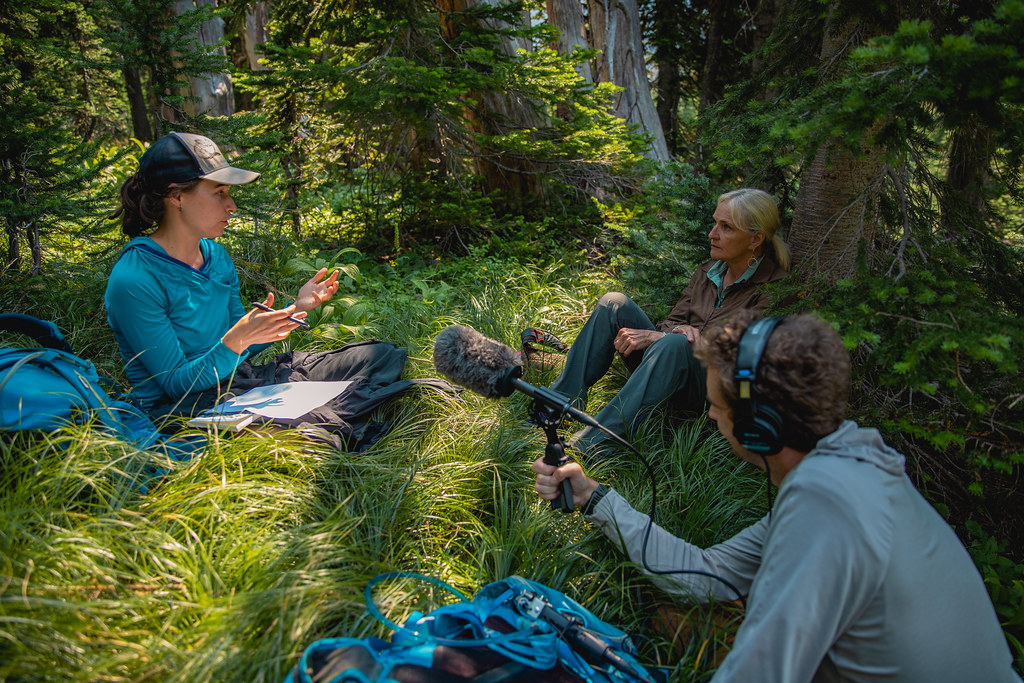
If you host a weekly podcast and lean on AI for the parts that used to eat a whole evening — cleaning up audio, cutting the episode, fixing a flubbed line, carving out clips, getting them scheduled — the question isn't really "should I use AI tools for this." Most of them are free to start. The real question is what the full stack costs once you're actually relying on it every week, because five free tiers stacked together quietly turn into five separate subscriptions the moment you outgrow their limits.
Below is a realistic breakdown of what a solo host or two-person show pays at three different points: just starting out, running a real weekly cadence, and scaling up with a small team. The numbers come from each vendor's own pricing page as of this writing — check the linked pages before budgeting, since plans and prices change.
A weekly cadence specifically matters here because it's the point where free tiers stop being generous. A monthly hobby show can often live on free plans indefinitely: the caps on transcription hours, generation credits, and scheduled posts reset before you hit them. A weekly show burns through the same allowances in a quarter of the time, which is exactly when the "free" stack quietly becomes a real monthly line item.
Before any AI editing tool touches your file, the raw recording still has to sound decent. This is the one step where "free" genuinely means free with no catch: Adobe Podcast's Enhance Speech tool strips room echo, hiss, and background noise from a recording and hands back a cleaner track, at no cost and with no account tier to unlock. It's not a full production suite — it does one job — but it's good enough that many hosts run every episode through it before touching an editor.
If you're recording remote interviews, a browser-based recorder that captures separate local tracks per speaker (rather than a single compressed Zoom mix) will save you editing headaches later, since AI cleanup tools work better on clean, separated audio than on a blended recording full of cross-talk. None of that requires paid software either — the point of this stack is that recording and cleanup can stay free indefinitely, no matter how often you publish, because Adobe Podcast doesn't meter usage the way the editing and repurposing tools further down the pipeline do.

Edit video and podcasts by editing the transcript
🔥 Save up to 35% with an annual planThis is where most of the actual editing time disappears. Descript transcribes your recording and lets you cut the episode by deleting text, the same way you'd edit a document — no waveform-scrubbing required. Its filler-word removal and studio-quality cleanup handle the tedious pass that used to take an hour by hand, and it works for both audio-only and video podcasts from the same project.
Descript's free plan is enough to try the workflow, but it caps transcription hours and export quality. The Creator plan, priced from $24/month on Descript's own pricing page, is where most weekly shows land, since it raises those limits enough for a real production schedule; a Business plan exists above that for teams that need shared workspaces and higher caps. Annual billing knocks a meaningful chunk off the monthly rate if you're committing for a year, per Descript's current pricing page.
The most natural text-to-speech and voice cloning available
🔥 Annual billing: 2 months free on every planTwo AI-voice use cases show up constantly in podcast production: patching a misspoken line without re-recording the whole segment, and generating a consistent voiced intro or outro without booking studio time. ElevenLabs handles both — its voice generation is realistic enough to drop into a mixed episode, and a voice clone of the host (built with their consent) can fix a flub in seconds instead of re-recording an entire take.
ElevenLabs' free tier includes a starter allotment of generation credits, enough to experiment with a cloned voice or a scripted intro. Paid plans scale from a low-cost starter tier for occasional touch-ups up to a $99/month Pro tier for shows generating voice content every week, based on ElevenLabs' published pricing. Heavier use — dubbing full episodes into other languages, for instance — pushes you toward the higher tiers fast, since those jobs consume far more credits than a ten-second fix.
Turn long videos into viral short clips automatically
A single episode is one piece of content; a week of short clips pulled from it is five or six more. OpusClip watches a full episode, finds the moments most likely to work as standalone clips, and reframes them with captions for vertical platforms automatically, which is the part of repurposing that used to require a human scrubbing through the whole recording looking for quotable moments.
The free plan works but stamps a watermark on exports and limits how much you can process. The Starter plan, from $15/month per OpusClip's pricing page, removes the watermark and adds faster processing and more import sources; the Pro tier at $29/month adds AI reframing controls and text-based clip editing for shows that want more say over what gets cut. For a weekly show producing several clips per episode, Starter is usually the realistic floor.

Social scheduling with an AI assistant for writing and repurposing
Clips are only useful once they're actually posted, on a schedule, across whichever platforms your audience is on. Buffer queues posts across channels so you're not manually publishing five clips by hand every week, and its free plan covers three connected channels and ten scheduled posts per channel — enough for a lean, single-show operation testing the workflow.
Once a show is running two or three channels consistently, Buffer's Essentials plan (around $5–6 per channel per month, billed yearly, per Buffer's pricing page) removes the post cap and adds analytics. A Team plan above that adds collaboration features for shows with an editor or a virtual assistant handling scheduling. Buffer also lists a 50% nonprofit discount, worth checking if your show operates under one.
The headline monthly price for each tool is only part of the story. A few things push the real cost higher than the plan you signed up for:
None of this means the free tiers are a trick — they're genuinely useful for testing whether a workflow fits your show before paying for it. It just means the real monthly number, once a show is running every week, is closer to the "weekly show" column below than the "just starting" one.
Put together, here's roughly what a five-tool AI podcast workflow costs at different points, based on each vendor's current published pricing (excluding hosting, since a podcast host like Spotify for Podcasters isn't an AI product and isn't covered here):
| Tier | Adobe Podcast | Descript | ElevenLabs | OpusClip | Buffer | Rough monthly total |
|---|---|---|---|---|---|---|
| Just starting | Free | Free | Free | Free (watermarked) | Free (3 channels) | $0 |
| Weekly show | Free | Creator, from $24 | Starter tier, low single digits | Starter, from $15 | Essentials, ~$5–6/channel | ~$45–55 |
| Small team, scaling | Free | Business, higher tier | Pro, $99 | Pro, $29 | Team, per-channel | ~$180+ |
The jump from "just starting" to "weekly show" is the one nearly every consistent podcast eventually makes, since free-tier watermarks and post caps become annoying fast once you have a real audience. The jump to the third tier is really only worth making once a show has enough volume — multiple episodes a week, multiple hosts, or a team member handling distribution — to justify Pro-level credits and seats.
For a single host publishing weekly, the middle tier is the sweet spot: real transcription and editing limits in Descript, enough ElevenLabs credits to patch the occasional flub, an unwatermarked clip pipeline in OpusClip, and a scheduler that doesn't cap posts. That's roughly the cost of one modest coffee-shop habit per month, and it replaces hours of manual editing and repurposing work every single week.
Skip the AI-voice and clip-repurposing spend entirely if you're not yet posting short clips anywhere — Descript alone, paired with Adobe Podcast's free cleanup, covers the core editing job for less than $25 a month. Add ElevenLabs and OpusClip only once clip-based distribution is actually part of your growth plan, since paying for tools you're not using regularly is the fastest way to make "AI-assisted" more expensive than just editing the old-fashioned way.
The concrete takeaway: start with the free stack for a month to confirm the workflow actually fits how you produce a show, then upgrade one tool at a time as its specific limit — transcription hours, generation credits, post caps, watermarks — becomes the thing actually slowing you down. Upgrading reactively, tool by tool, keeps the monthly bill matched to what you're actually publishing instead of locking into every Pro tier on day one.
For more on the tools mentioned here, see our full guides to AI Meeting Notes & Transcription, AI Voice, Music & Audio, and AI Marketing & SEO.
The most natural text-to-speech and voice cloning available
🔥 Annual billing: 2 months free on every planEdit video and podcasts by editing the transcript
🔥 Save up to 35% with an annual planTurn long videos into viral short clips automatically
Social scheduling with an AI assistant for writing and repurposing

18 Sep 2026 · 8 min read
A step-by-step workflow for building a list, researching accounts and drafting outreach that doesn't read like a template.
cold outreach sales ai tools
17 Sep 2026 · 8 min read
MCP lets AI assistants read files and call real tools instead of just describing actions. Here is how it works and what to check before granting access.
mcp ai agents developer tools
16 Sep 2026 · 8 min read
Five AI tools from different categories that cut real admin time for solo consultants: notes, scheduling, a website, proposals and automation.
freelancing consultants productivityBrowse 160 ranked tools with honest pros, cons and pricing.
Browse all tools